



This is my version of a Freetz(-NG) build environment. With this I am running builds to create various images (3270, 3370, 7570,7390, 7490, 7590) with various configs in a CI environment.
- You don't want to mess up your linux system with all those prerequisites needed to build Freetz(-NG)
- You're using Windows: the easiest way to get a Freetz(-NG) build environment is by using the Docker image with WSL2.
- You don't wan't to download a full featured virtual machine image (which if there are new prerequisites you have them to integrate on your own which perhaps was the reason you started using the virtual machine image)
- The virtual machine image generates to much overhead (RAM/CPU/...)
- You need (love) fast startup times (milliseconds compared to seconds/minutes)
With this approach the files are not stored inside the "pfichtner/freetz build container" but a separate volume:
# start docker container (will start /bin/bash)
docker run --rm -it -v freetz-workspace:/workspace pfichtner/freetz
# clone (checkout) the remote repo into the current directory (only needed once/the first time)
git clone https://github.com/Freetz-NG/freetz-ng.git
But if you delete the container (e.g. when updating to a newer version of it) you'll lose everything you put meanwhile in this container e.g. configs, (intermediate) build results! The first time start looks like:
# start docker container (will start /bin/bash)
docker run -it pfichtner/freetz
# clone (checkout) the remote repo into the current directory (only needed once/the first time)
git clone https://github.com/Freetz-NG/freetz-ng.git
After exiting the container the container is stopped. You can resume it via docker start -i <containerid> (you can determine the containerid by executing docker ps -a)
So all files checked out and generated during the build resides on the host system.
To do this, "cd" into the directory with the checked out Freetz(-NG)-repository and use the current directory ($PWD) as volume for the container and then execute the build there. Here comes the complete workflow:
# clone (checkout) the remote repo
git clone https://github.com/Freetz-NG/freetz-ng.git
# cd into the cloned repo
cd freetz-ng
# start docker container (will start /bin/bash)
docker run --rm -it -v $PWD:/workspace pfichtner/freetz
(if you don't checkout Freetz(-NG) to the current directory replace $PWD with the path to the checked out repository) Please note that the filesystem where Freetz(-NG) has been checked out has to be case-sensitive!
In all three cases you'll get a shell (bash) where you can work like your are in "a normal bash" like before, e.g. you now call call make then make menuconfig or any other command you like. If you want to leave this shell, just type exit as usual.
docker run start a new container
--rm remove (purge) that container after it terminates
-it run in interactive mode/run in terminal mode
-v $PWD:/workspace mount the current working directory of the host as /workspace inside the container
-v a-volume-name:/workspace use the existing "a-volume-name"-volume or create it if it does not exist and use it as /workspace inside the container
pfichtner/freetz the image to create the container from
You can pass the following environment variables (using docker's -e parameters)
BUILD_USERthe username of the non-root user the entrypoint will switch toBUILD_USER_UIDthe uid (user id) of theBUILD_USER. This should be the UID of your current user so that all files are read/write using the same UID that the user started the container. So-e BUILD_USER_UID=$(id -u)is a good option.USE_UID_FROMInstead of passing in the UID the docker container uses the UID this file/directory belongs toBUILD_USER_HOMEthe home directory of theBUILD_USER
If you don't pass in any of these environment variables the docker container will switch to a mode where BUILD_USER is builduser, BUILD_USER_HOME is /workspace and BUILD_USER_UID is determined by the user that is owner of /workspace.
BUILD_USER_GIDthe gid (group id) of theBUILD_USER.AUTOINSTALL_PREREQUISITESBy default Freetz-NG's prerequisites check is run and if there are missing prerequisites they get installed automatically. So even if the image is not uptodate you always should have a properly working build environment with all prerequisites installed. This feature will work only if the current working directory (-w/--workdir) contains a checked-out Freetz-NG. If Freetz-NG's script is not found this step is silently skipped as if it had been disabled. If you want to disable this feature in general set the environment variable ton. This feature gets available with pfichtner-freetz:0.3.4
In my CI environment (Jenkins) I use the following:
docker run --rm -i -e BUILD_USER=builduser -e BUILD_USER_UID=$(id -u) -e BUILD_USER_HOME=/home/builduser -w /home/builduser -v $WORKSPACE:/home/builduser -v /var/lib/jenkins/download_cache:/home/builduser/dl pfichtner/freetz
Here's a screencast where Freetz(-NG) is checked out and menuconfig and make are run in the container
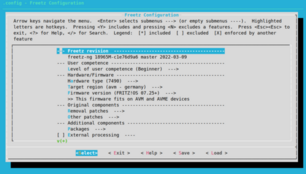
If you dont' want an interactive shell (bash) but run command directly you can pass them using bash -c
docker run --rm -it -v $PWD:/workspace pfichtner/freetz /bin/bash -c "make menuconfig && make"
If you don't want or can't clone the Freetz(-NG) repository using your local machine you can do this also using inside docker container (but having the files outside of the container thus the machine you are running docker on)
mkdir ~/some-empty-directory-for-freetz
docker run --rm -v ~/some-empty-directory-for-freetz:/workspace pfichtner/freetz \
  /bin/bash -c "git clone https://github.com/Freetz-NG/freetz-ng.git . && make menuconfig && make"
And here's a screencast for this
Of course in a CI environment you don't want to do menuconfig since it's a fully automated build. That's where I am using oldconfig:
docker run --rm -v $PWD:/workspace pfichtner/freetz /bin/bash -c "make oldconfig && make"
If you encounter a problem when unpacking the image this could be caused by a prlimit for the docker container of maximum number of open files. Please add then --ulimit=..., e.g. docker run --rm -it --ulimit nofile=262144:262144 -v $PWD:/workspace pfichtner/freetz. You can verify the NOFILE limits by calling prlimiton the host and inside the docker container. (see #37 for details)
- You can use docker on most linux/unix systems (and many other systems like Windows, too)
- Docker should be installable via the package manager of your distribution (dkpg/apt, rpm, yum, ...)
- When installing docker initially on your machine, the user you want to use docker for has to be member of the docker group ("docker" on ubuntu, could differ in other distros), so add the user to the "docker" group
- If you start an image (better said container) for the first time, the image is pulled from the remote docker repository ("dockerhub"). This could take a while but after that the image is cached on you machine and has not to be downloaded again
- If you want to update an image that already was downloaded you can use
docker pull pfichtner/freetzto check for a newer image and update it - When running on a Mac with ARM CPU (M1/M2/M3) you should pass
--platform linux/amd64to use the x86 image
Running this image on ARM64 hosts (e.g. Apple Silicon, ARM servers, GitHub ARM runners) is only partially supported.
- ✅ Works: Devices using kernel v4 and newer
- ❌ Not supported: Devices using kernel v3 or older
Some legacy host tools (e.g. yf-akcarea-host) require 32-bit x86 binaries which cannot run natively on ARM64.
pfichtner/freetz also runs using podman (which has advantages due to being daemenless so you don't have to add users to any groups)
podman run --userns keep-id --rm -it -v $PWD:/workspace docker.io/pfichtner/freetz
If you want to customize the build environment (e.g. use different package mirrors, corporate proxies, or tweak the Dockerfile), you can build the image locally.
docker build -t pfichtner/freetz:custom .
You can override the default package mirrors used during the image build:
- UBUNTU_MIRROR – e.g. http://de.archive.ubuntu.com/ubuntu
- DEBIAN_MIRROR – e.g. http://deb.debian.org/debian
- DEBIAN_SECURITY_MIRROR – e.g. http://security.debian.org/debian-security
If not set, the defaults from the base image are used.
Note: These are evaluated during image build, not at container runtime.
Example
docker build \
  --build-arg UBUNTU_MIRROR=http://de.archive.ubuntu.com/ubuntu \
  --build-arg DEBIAN_MIRROR=http://ftp.de.debian.org/debian \
  --build-arg DEBIAN_SECURITY_MIRROR=http://security.debian.org/debian-security \
  -t pfichtner/freetz:custom .
If you build images often or in a restricted network, using a proxy can significantly speed up downloads and improve reliability.
You can pass proxy settings as build arguments:
docker build \
  --build-arg http_proxy=http://proxy:3128/ \
  --build-arg https_proxy=http://proxy:3128/ \
  -t pfichtner/freetz:custom .
You can combine proxy + mirror configuration:
docker build \
  --build-arg http_proxy=http://proxy:3128/ \
  --build-arg https_proxy=http://proxy:3128/ \
  --build-arg UBUNTU_MIRROR=http://de.archive.ubuntu.com/ubuntu \
  --build-arg DEBIAN_MIRROR=http://ftp.de.debian.org/debian \
  --build-arg DEBIAN_SECURITY_MIRROR=http://security.debian.org/debian-security \
  -t pfichtner/freetz:custom .